Convert an image to a DST embroidery file.
Bring your artwork into Trace. Refine fill and satin stitches, check the preview, and export a DST file from your browser.
Pro: $17.99 USD/month. Billed at checkout; no free trial. See plans.
See what the workflow produces.
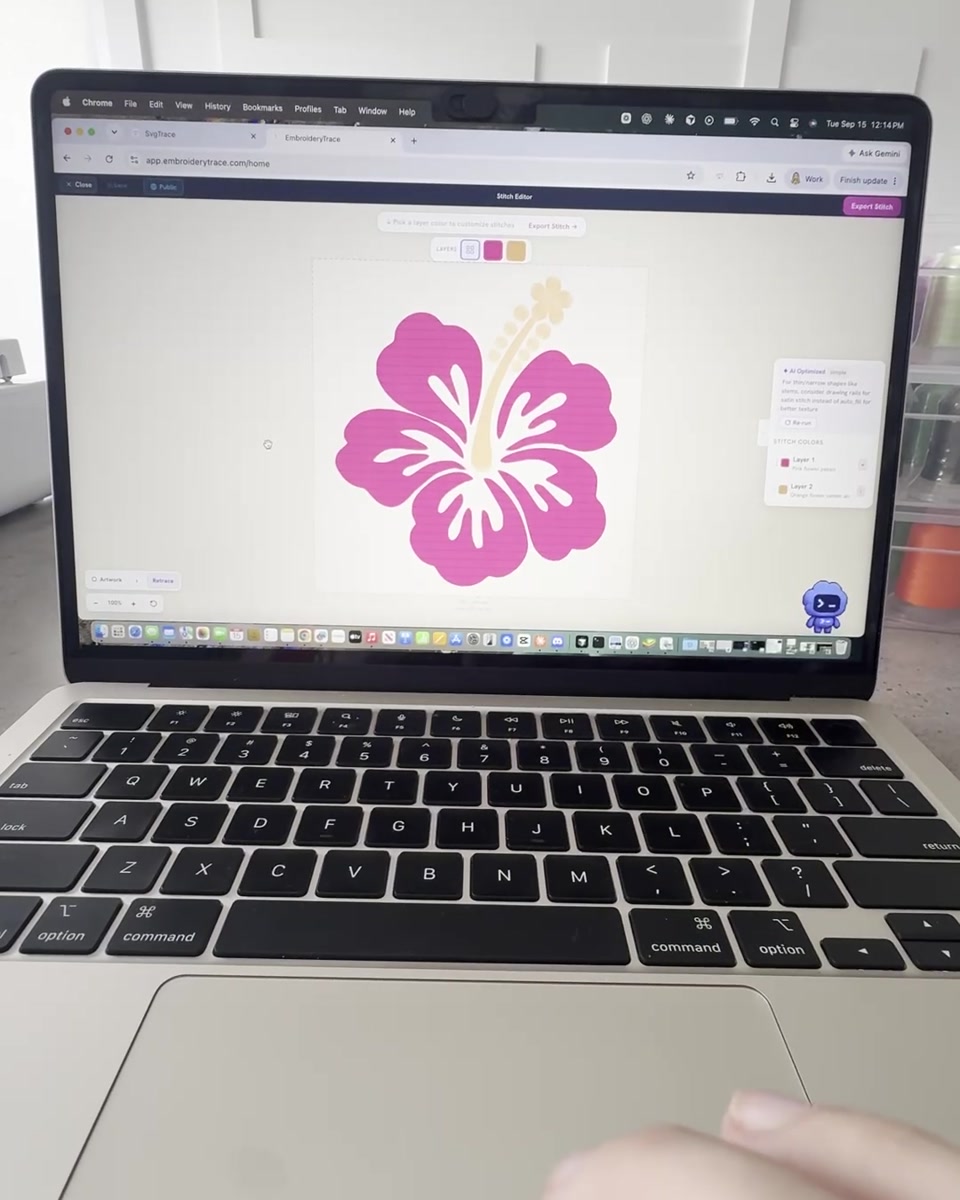
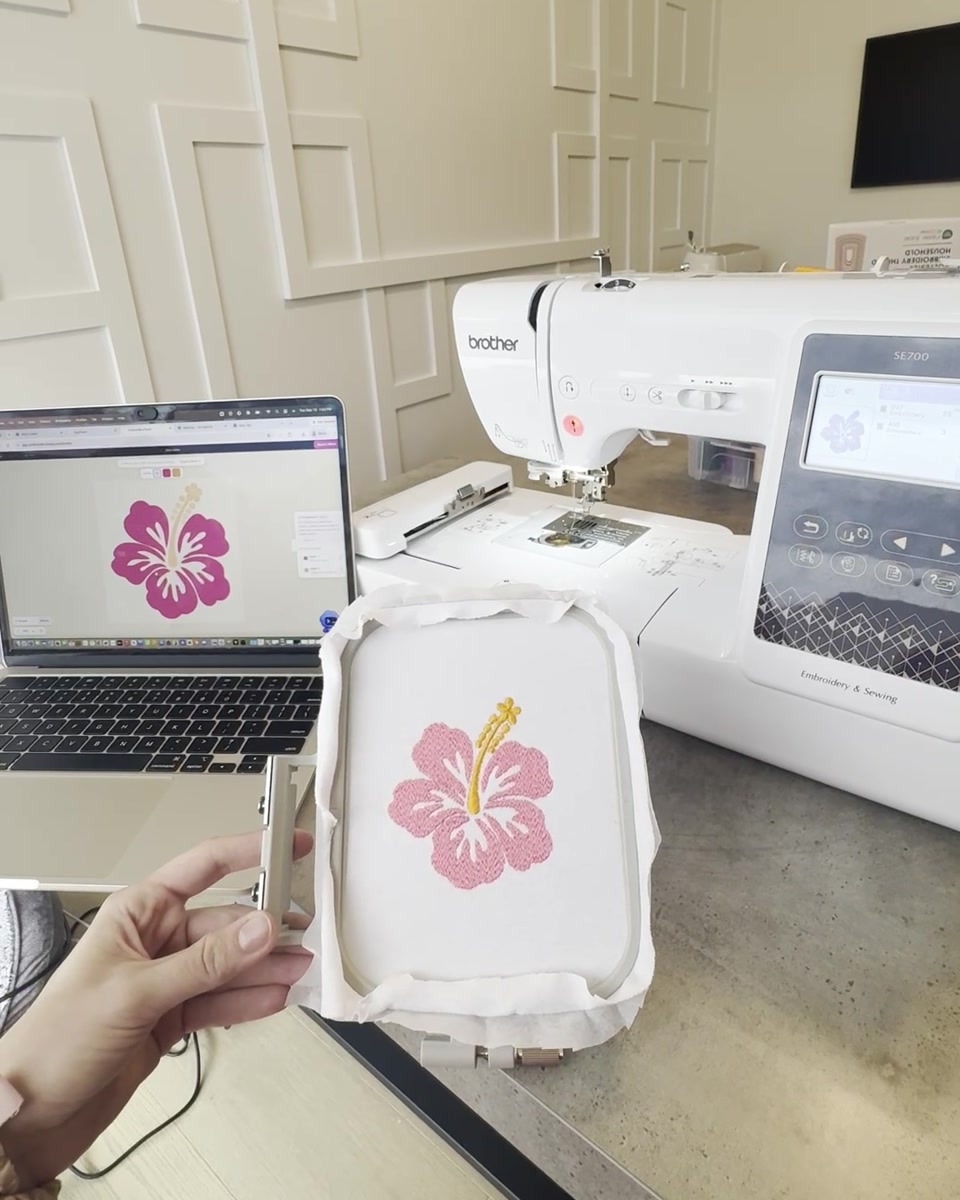
Our hibiscus project, prepared in Trace and sewn on a Brother SE700. Compare the design in the editor with the finished embroidery.
Give your DST a better starting point.
Use clear shapes at the size you intend to sew
Small lettering, thin lines and photographic gradients need more preparation than bold, flat artwork. Set the finished dimensions before judging detail. Simplify anything that becomes too small to reproduce in thread.
Choose the stitches, not just the extension
Renaming a JPG to .dst does not create embroidery. Each region needs stitch paths suited to its shape and size. Trace gives you fill, satin and running stitches, plus tools to edit the shapes behind them.
Keep your thread sequence handy
DST carries stitch movements and color-change stops, but not a complete thread-color palette. Keep a reference image and record the thread order for your machine setup.
Check your machine and hoop
Use DST when your specific machine supports it. Check the design dimensions and stitch limits before loading. If your model needs another format, Trace also exports PES, JEF, VP3 and EXP.
Know what you’re downloading.
How do I convert an image to a DST file?
Upload your PNG, JPG or SVG in the EmbroideryTrace app. Set the finished design size, prepare the color layers, choose fill, satin or running stitches, and inspect the stitch preview. Export as DST, then check the design in your machine software and test it on a scrap of your intended fabric.
Can I convert PNG, JPG and SVG to DST?
Yes. Start with a clear logo or illustration with distinct color areas. A transparent PNG can help keep the background out of the design. SVG preserves shape information, but it still needs stitch types, size and density settings before it can become embroidery.
Does the converter support satin stitches?
Yes. Use satin for suitable narrow shapes, borders and lettering. Automatic satin is in beta; you can also split shapes into columns, select existing edges, draw rails and refine the result manually before exporting.
Is image-to-DST conversion free?
EmbroideryTrace Pro is paid: $17.99 USD per month, or $119.88 USD per year (equivalent to $9.99 per month). The selected plan is billed at checkout and renews automatically. There is no free trial. Cancel anytime to stop future renewals.
Does a DST file include thread colors?
DST stores stitch movements and color-change stops, but not a complete thread-color palette. Keep a reference image and note your thread sequence so you can assign the intended colors when setting up the machine.
Will the DST file work on my embroidery machine?
Check that your specific model accepts DST and that the finished design fits its hoop and stitch limits. EmbroideryTrace also exports PES, JEF, VP3 and EXP when your machine requires a different format.
Can I use a photograph?
Photographs with gradients or fine detail usually need simplification into fewer, clearer color regions. Start with a flat-color logo or illustration for an easier first project. Inspect the preview and make a test stitch-out before sewing your final item.
Ready to prepare your design?
Pro is $17.99 USD/month or $119.88 USD/year. Billed at checkout and renewed automatically. No free trial; cancel anytime to stop future renewals.
Start your DST design →